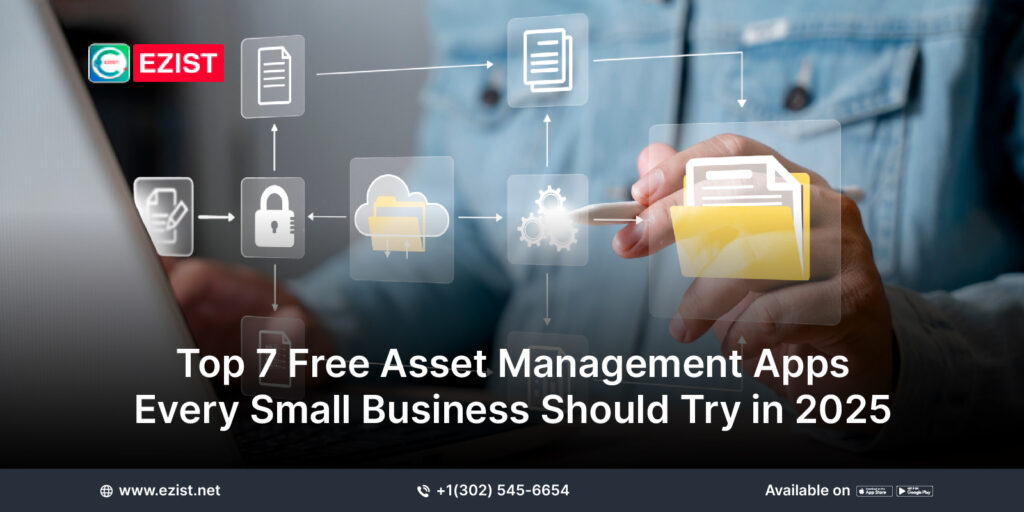
Managing your business assets shouldn’t involve an endless amount of spreadsheets, paper and manually tracking equipment maintenance. If you run a restaurant, a retail store, a gym, an office, a factory or a service business then you absolutely need to be tracking your physical assets.
From laptops and computers through to office furniture, refrigeration, air conditioning, machinery and all manner of commercial equipment, businesses need a way to keep their assets organised, their warranties on track, their purchase records up to date and their repair schedules in place.
This is where an asset management app really comes into its own. It enables you to maintain a central record of all your assets, track the condition of your equipment, keep your invoices and warranty information all in one place and manage your maintenance to a very high degree.
However not every asset management app is going to have the same capabilities. Some are very much focused on IT asset tracking, others on inventory, others on equipment maintenance, others on barcode scanning and others on physical asset management. Some will have a fully free plan, others will have a limited free plan or a free trial, others will have an open source version which you’ll have to set up yourself.
The right solution for you will depend on your business needs, the number of assets you have, the size of your team, your budget and your maintenance requirements.
In this guide we’re comparing seven asset management apps for small businesses in 2026. We’re looking at their features, free plans, pricing models, the pros and cons and the sort of situation they’re best suited to. Whether you’re after a simple asset register or a more comprehensive asset management app that can track your equipment, your warranties and your maintenance, this guide will help you to make your choice.
Before you go shopping for an asset management app, compare the software on the basis of its intended purpose, its pricing model, what it can track and whether it’s the right app for your business.
Software | Best for | Free availability | Primary capabilities |
Ezist | Physical assets, appliances and maintenance | Free account; verify current plan limits | Asset records, warranty and service reminders |
AssetTiger | Fixed asset tracking | 30-day free trial, according to source pricing | Barcode scanning, maintenance and warranty tracking |
Sortly | Visual asset cataloguing | Free plan with 100 items and 1 user, according to source | Photos, QR codes and tags |
Snipe-IT | IT asset management | Free self-hosted open-source version | Hardware, software licences and user assignments |
Zoho Inventory | Product-based businesses | Free plan with specified order and user limits | Inventory and order management |
UpKeep | Maintenance-heavy businesses | Free trial | Maintenance scheduling and mobile work orders |
MaintainX | Maintenance teams | Free Basic plan | Work orders, procedures and preventive maintenance |
Pricing and free plan details are based on the original article’s research (October 21 2026). Always check current vendor pricing, features and restrictions prior to publishing.
Website: Ezist – Create Your Free Account
App availability: iOS App Store and Google Play (please check current platform availability).
Ezist is an asset management app which helps individuals, service providers and small businesses to keep track of their physical assets, appliances and equipment.
Not a solution that’s all about IT hardware or IT inventory quantities. Ezist is a solution that’s about managing the information around the equipment (i.e. the equipment information), the purchase records, the warranties and the maintenance.
For businesses that run restaurants, retail premises, offices, gyms and the like (i.e. any business that has a lot of equipment) the issue of keeping track of individual assets and what their service history is can be a real headache. Ezist provides a single platform to keep all that information in one place and manage all the asset related stuff.
Key Features of Ezist
How can small businesses use Ezist?
Think of a restaurant with a number of fridges, commercial ovens, air conditioners, dishwashers and the like.
No asset management app and the owner would be relying on a host of separate spreadsheets, paper invoices and manual reminders to deal with each piece of equipment.
With Ezist the business can have all its equipment records, all its purchase docs, all its warranty information and all its service requirements in one place.
Similarly:
Advantages
Things to Consider
Before you go for Ezist you should assess the plan limitations, asset classes supported, user permissions, integrations and mobile capabilities against your own requirements.
Best for: Small businesses, restaurant operators, service providers and organisations who have a lot of equipment and who want an asset management app that will combine their asset records with their warranty and maintenance records.
Get going: create a free Ezist account.
Website: AssetTiger
AssetTiger is an asset management app which is all about fixed asset tracking, equipment records and maintenance scheduling.
It’s useful for businesses who want to keep an orderly asset inventory and be able to identify individual assets via barcode or QR code scanning.
Key Features
Pricing and Free Trial
As per the pricing details in the original article checked on 21st October 2026, AssetTiger provides a 30 day free trial for up to 250 assets (no credit card required). The paid plans listed start at $20/month for up to 500 assets and have unlimited users on the paid plans.
Verify the current pricing and restrictions with AssetTiger themselves prior to publishing.
Advantages
Things to Consider
The free trial is time boxed so businesses should assess the subscription requirements prior to relying on the platform for long term asset management.
Businesses should also look at how their maintenance and warranty processes stack up against their own operational needs.
Best for: Small businesses who want some structure to their fixed asset records, who want to be able to barcode their assets and who want to be able to schedule maintenance.
Related reading: Ezist vs AssetTiger: Compare Asset Management Features and Alternatives
Website: Sortly
Sortly is a visual asset management app which allows you to organise and track your assets via photos, QR codes, folders and custom tags.
Its visual approach makes it far easier for the teams to spot the equipment and find the particular items they’re looking for without necessarily having to rely on the long spreadsheet lists or the asset lists that are manually maintained.
For small retailers, creative studios, offices and businesses that have a number of different equipment categories to manage, visual asset organisation can be very useful.
Key Features
Pricing and Free Plan
As per the original article’s October 21 2026 pricing research, Sortly has a free plan which includes up to 100 items and one user. The paid plans start at $24/month.
Check the official pricing page for current asset, user and feature limits.
Advantages
Things to Consider
The free plan has limits on the number of items and number of users. If you’ve got a large equipment inventory or a number of users then you’ll likely need a paid plan.
Visual asset cataloging is of course not in itself a full maintenance management system. You need to assess whether the platform actually supports your warranty, service and maintenance workflows.
Best for: Small retailers, creative studios and any business that wants a visual asset tracking app.
Website: Snipe-IT
Snipe-IT is an open source asset management app, designed primarily for tracking IT hardware and software assets.
It helps organisations to manage computers, laptops, accessories, software licences and the equipment that’s assigned to users.
IT admin can maintain device records, track who has what device assigned to them and keep the hardware and software ownership information all in one place.
Key Features
Pricing and Free Availability
Snipe-IT has a free self hosted open source version as well as hosted subscription options (pricing varies by plan).
The original article had hosted plans starting at $39.99/month. Check current pricing and billing terms.
Advantages
Things to Consider
The self-hosted version is free to use under the open source model, though businesses may still end up paying for hosting, implementation, backups, maintenance and support.
It’s really an IT asset management solution rather than an appliance warranty and repair management platform in the traditional sense.
Best for: IT teams, technology companies and those who need to manage computers, devices, software licences and employee hardware.
Website: Zoho Inventory
Zoho Inventory is an inventory and order management platform for product based businesses.
It helps companies to manage stock, sales orders, purchase orders and inventory movements.
It’s crucial to understand the difference between inventory management and asset management. An inventory system is all about products and stock levels. An asset management application is more about the equipment itself, the ownership of that equipment, where it is, its condition, its warranty and its maintenance.
Key Features
Pricing and Free Plan
According to the original article’s October 21, 2026 research, Zoho Inventory offers a free plan with:
Integrations include Zoho Books, Xero, QuickBooks Online and Zoho CRM (subject to your current plan and integration availability).
Advantages
Things to Consider
Zoho Inventory is not a dedicated physical asset tracking and maintenance app.
If you’re primarily after a solution for tracking laptops, fridges, office equipment, warranties, repair requests and service history then you should look at a specialist asset management app.
Best for: Retailers, wholesalers and product businesses who are primarily going to be managing inventory and orders.
Website: UpKeep
UpKeep is a maintenance management platform for businesses who need to manage equipment maintenance, work orders and the various operational activities that go on.
It’s particularly pertinent to manufacturing, facilities management, hospitality and all the other industries which are maintenance intensive.
Rather than just tracking what assets a business owns, UpKeep is all about managing the maintenance requirements and organising the equipment work.
Key Features
Pricing and Free Trial
As per the original article’s October 21 2026 research, UpKeep offer a free trial rather than a free plan that’s permanent. Their listed paid plans start at $24 per user per month.
The original research did identify preventive maintenance scheduling as a Premium plan feature. Check the vendor’s current pricing and feature matrix prior to publishing.
Advantages
Things to Consider
Upkeep may be better suited to businesses that have a very structured maintenance operation than ones that just need a basic equipment register.
Assess the subscription cost, user requirements and the availability of any specific maintenance features prior to selecting it.
Best for: Manufacturing sites, hospitality businesses and any organisation that wants a dedicated maintenance management system.
Website: MaintainX
MaintainX is a maintenance and work order management app that helps organisations to digitise their equipment maintenance and manage the associated operational work.
It’s very useful for small maintenance teams who are currently reliant on paper work orders, manual communication and spreadsheets.
Key Features
Pricing and Free Plan
As per the original article’s October 21 2026 pricing research, MaintainX offers a free Basic plan which has unlimited work orders (subject to restrictions on procedures and on repeating work orders).
The original article had paid plans starting at $20 per user per month (billed annually).
Check the current pricing page to confirm which plans have the asset management, scanning and maintenance as part of the package.
Advantages
Things to Consider
Businesses should assess the restrictions on procedures, recurring work orders, users and advanced functionality.
If your primary requirement is to get invoices, warranty documentation, appliance information and service provider connections all in one place then you should compare MaintainX with an asset management app that’s built around those exact requirements.
Best for: Small maintenance teams and organisations who want to move from a paper based maintenance environment to a digital work order system.
Not all ‘free’ products are created equal. Be aware of the different types of free software models before you go and pick an asset management app.
A free forever plan means you can carry on using the software without any mandatory trial expiry (subject to the vendor’s plan terms of course).
However the free version may limit the number of assets, number of users, storage, or access to some of the more advanced features.
Freemium software provides the basic asset management functionality for free, with all the more advanced features locked behind a paywall.
For instance a business may have the basic asset records in place but may need to go further in order to accommodate more users, automated reporting or more sophisticated maintenance.
A free trial gives you temporary access to the software prior to a subscription being required.
AssetTiger and UpKeep are both listed as trial based in the original comparison.
Businesses should look at the length of the trial, what’s included in it, the payment terms and what happens at the end of the trial.
Open source solutions (Snipe-IT for example) are an alternative for organisations that have the in-house technical resources.
Although it’s possible to self host the software at no cost, businesses should factor in the cost of hosting, installation, security updates, backups and maintenance.
Before choosing a free asset management app, evaluate:
The best solution isn’t necessarily the one with the cheapest subscription. It’s the one that meets your operational needs without introducing undue complexity.
Asset management software is a very broad category and covers a whole range of different business needs. It’s important to understand the differences as otherwise you could end up with a platform that doesn’t actually support the way you work.
Software category | What it manages | Typical users |
IT asset management | Computers, laptops, licences and devices | IT departments |
Physical asset tracking | Equipment, appliances and business property | Small businesses |
Equipment maintenance management | Machinery, repairs and maintenance tasks | Maintenance teams |
Fixed asset management | Business-owned assets and financial records | Finance departments |
Inventory management | Products, stock and orders | Retailers and wholesalers |
An IT asset management app might be perfect for a tech company but won’t necessarily support the appliance warranty and service workflows that a restaurant would need.
Similarly inventory software may keep track of product quantities but may not necessarily keep track of the individual piece of equipment service histories.
Hence you need to establish what type of asset you’re looking to manage before you even start comparing software.
An asset management app can be used across a range of industries depending on the type of equipment and the way it’s operated.
Restaurants are reliant on fridges, ovens, air conditioners, dishwashers and all the other commercial equipment.
An asset management app will help you keep track of purchase history, warranty information and service requirements for your key equipment.
Fitness centres have the treadmills, the bikes, the weight machines, the air conditioners and all the other kit.
Centralised asset records can be used to keep track of asset information and to manage maintenance requirements.
Retail outlets use computers, billing machines, POS systems, CCTV, display equipment and air conditioners.
A central asset register will help you to keep all your equipment records in one place.
Offices manage the laptops, desktops, printers, projectors, furniture and all the other kit that goes into an office.
An asset management app can be used to keep track of ownership information, purchase details and equipment assigned.
Businesses with several branches invariably have the problem of tracking their equipment across the various sites.
A central system can be used to collate asset information and improve visibility across the branches (depending on the platform’s level of support for location and user features).
A mobile asset management app can make it far easier for business owners and staff to get at the information they need on equipment without having to rely on the office PC.
Before you go any further and pick a platform, you need to assess these key capabilities.
Check that staff can view asset information, update records and view equipment details via the supported smartphones.
QR and barcode functionality can be used to quickly identify individual assets, particularly where a business has a large inventory of equipment.
Check that scanning is available in the selected plan.
Organising the purchase docs, the warranty information and the service records makes an asset management app a lot more useful for businesses that have equipment.
Look for reminders and scheduling options that will help the team to organise their preventative maintenance and reduce the risk of missing a service.
For businesses with multiple users or multiple sites, look at user permissions and the ability to work collaboratively on records.
Cloud based software will allow authorised users to access the information from a range of different locations, depending on their internet connectivity and the platform’s access controls.
Selecting the right software is more than just a price comparison.
Consider these factors before making a decision:
A good asset management app should be about making your day to day job easier rather than adding another layer of admin on top.
Businesses looking for an asset management app will often find that the various software solutions out there are all focused on different bits of the operational side of things.
Some are IT hardware focused, some are inventory focused, some are fixed assets focused and some are maintenance work order focused.
Ezist is all about the physical assets, appliances and equipment, the warranties, the purchase documentation and the service side of things.
For small businesses the combination of this can be very pertinent when it comes to equipment management where it’s not just a case of maintaining a simple list of equipment.
With Ezist businesses can collate their asset information, keep their warranty and invoice records, get the relevant maintenance alerts and co-ordinate service requests all via a single platform.
For instance a restaurant owner could have details on their commercial fridges, ovens and air conditioners, their purchase docs and their service requirements all in one place.
Similarly office administrators and other business operators can put their equipment information in order and keep much more structured asset records.
If you’re looking for an asset management app that links your physical asset records with your warranty and service records, take a look at Ezist to see if it has the features and plans that are right for you.
Start managing your business assets more efficiently with Ezist.
Create Your Free Ezist Account
Or you can look at the range of available mobile apps via the official Ezist website.
An asset management app is software which enables individuals and businesses to digitally manage, track and hold their assets (both physical and digital).
It can be used to manage equipment records, ownership info, purchase invoices, warranty information, maintenance schedules and service history.
A good asset management app reduces the need for spreadsheets and helps a business to keep its asset information in order.
The best asset management app is going to be the one that suits your business needs.
Ezist is worth looking at for physical equipment, appliances, warranty info and all the service type stuff. AssetTiger is for fixed asset tracking, Sortly is for visual cataloging, Snipe-IT is for IT hardware, UpKeep is for maintenance management and MaintainX is for work orders.
Compare their features, their free plans and the limitations of each before you go ahead and pick one.
Yes, there are a number of platforms that offer free plans or open source versions (though the restrictions on each are of course very different).
As per the original comparison, Ezist, Sortly, Zoho Inventory and MaintainX all have free plans. Snipe-IT has a free self hosted open source version.
AssetTiger and UpKeep are the free trial options.
Always check the latest vendor pricing and plan restrictions prior to signing up.
An asset management app is one which primarily helps you to track equipment, ownership, location, warranties, maintenance and asset history.
Inventory management software is all about stock levels, stock items, purchases, sales orders and inventory movements.
For example, tracking a company’s refrigerator and its warranty is an asset management exercise, tracking the number of fridges that are available to sell is an inventory management exercise.
Yes. A great many of the modern asset management applications do have a mobile friendly interface or indeed a dedicated mobile app.
Depending on the software and the plan you’ve selected you may be able to view asset records, scan codes, update information and manage maintenance.
Check the supported operating systems and mobile features prior to selecting a platform.
Snipe-IT is a very relevant option for organisations looking for open source IT asset management software.
It supports the IT hardware, software license and user assignment workflows. The self-hosted version of the product does not require a software license subscription (though you may still have to pay for hosting and technical maintenance).
Yes. Some asset management platforms will allow you to track the information, purchase dates, invoices and service records.
An asset management app with warranty reminders can help you keep track of all your equipment and not miss any of the service requirements that are tied to the warranty.
Ezist supports warranty and receipt management as well as asset and service related activities.
Not necessarily.
Open source software can be very flexible and of course there’s no recurring license fees. It can however require a lot of technical know how in terms of the actual software itself, hosting, configuration, updates and backups.
Paid platforms can offer the hosted infrastructure, the support and a much simpler setup.
The correct choice will of course be down to your team’s technical capability, your budget and your operational requirements.
The best asset maintenance app depends on your equipment and how complex your maintenance workflow is.
UpKeep and MaintainX focus on maintenance management and work orders, while AssetTiger provides asset-related maintenance scheduling.
Ezist is worth evaluating when businesses need to organize physical asset information, warranty details, service requests, and AMC or service reminders.
Small businesses can track equipment maintenance by maintaining an organized asset register, recording purchase and warranty information, scheduling preventive maintenance, and documenting service activities.
Using an asset management app helps centralize this information and makes it easier for authorized team members to review equipment records and upcoming service requirements.
Efficiently managing business reduces repetitive effort, improves visibility, and organizes activities.
Whether you need IT asset tracking, visual inventory records, fixed asset management, or equipment maintenance software, choosing the right platform depends on your specific requirements.
The seven solutions covered in this comparison serve different purposes. Ezist focuses on physical assets, appliances, warranty information, and service-related activities; AssetTiger supports fixed asset tracking; Sortly provides visual cataloging; Snipe-IT specializes in IT asset management; Zoho Inventory focuses on stock and order management; UpKeep supports maintenance-heavy operations; and MaintainX helps digitize maintenance work orders.
Before selecting an asset management app, compare its free plan, features, limitations, mobile capabilities, and long-term costs.
If your business needs a centralized way to organize physical assets, maintain warranty and invoice information, and manage service-related activities, explore Ezist and evaluate how its capabilities fit your business requirements.
Start organizing your business assets with Ezist today